


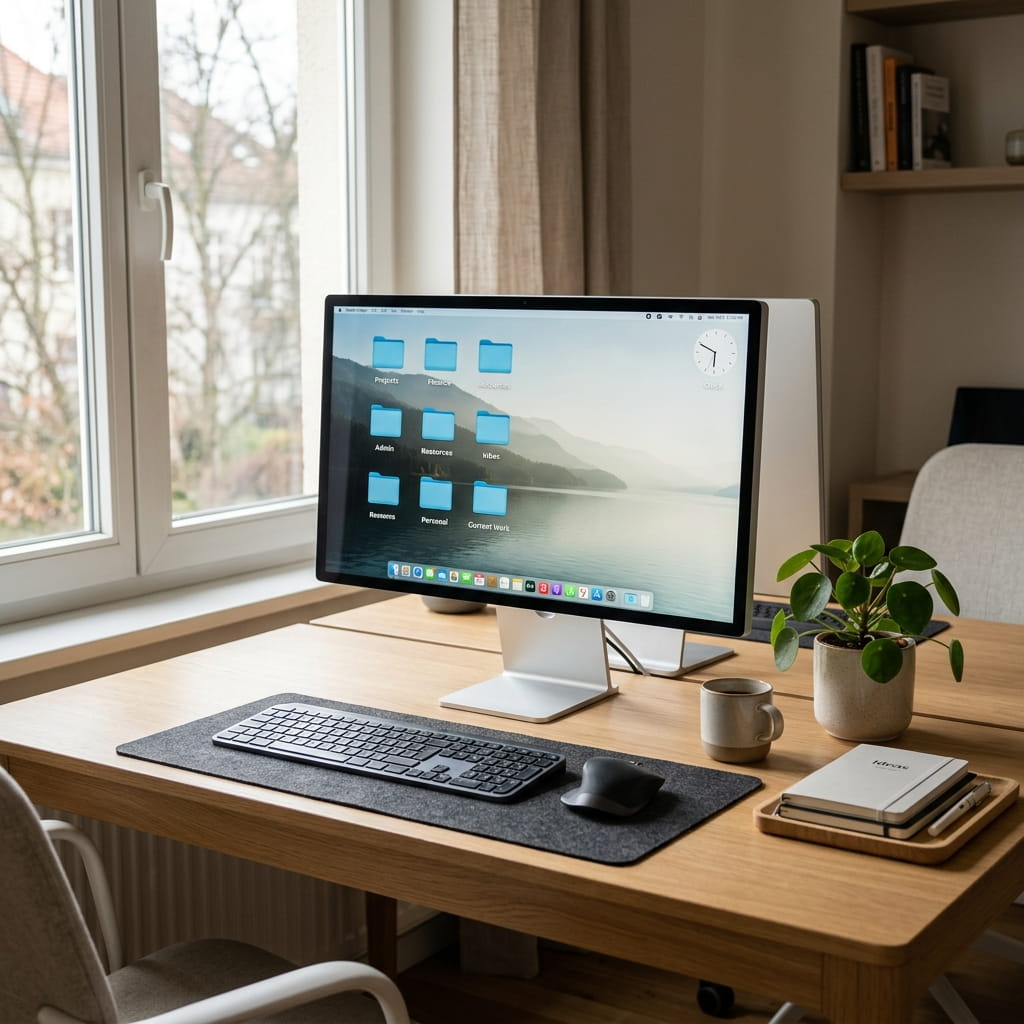
Do you often get tired of searching for files on your desktop? Do you feel overwhelmed by the clutter on your screen? If so, you may need to consider organizing your desktop.
Keeping your desktop organized not only makes it easier to find files, but it also offers many other benefits.
So, in this article, I will share some of the key benefits of an organized desktop. These points will help you understand why it matters and how it can boost your productivity.
Why an organized desktop matters
A cluttered desktop can quietly hurt your productivity in a few ways. Here are the main ones to keep in mind.
A messy desktop slows you down. When dozens of icons cover your screen, finding the right file takes longer, and you waste time scrolling and searching.
Clutter also adds stress. A busy screen can feel overwhelming, and that visual noise makes it harder to focus on your work.
A crowded desktop can even slow down your computer. Some systems load desktop icons during startup, so fewer icons can mean a faster boot time.
Read More: 12 Common Windows Mistakes to Avoid for Better Performance
1. Saves You Time Every Single Day
Time is precious, especially when you work on a tight schedule. With an organized desktop, you can find files in seconds. Instead of digging through random icons, you simply open the right folder.
Say you create folders for work, personal files, and projects, then place each file where it belongs. Everything is easy to find, and over time, those small savings add up.
2. Boosts Your Focus and Productivity
A clean desktop helps you stay focused. When your screen looks tidy, your mind feels calmer too, and that makes it easier to concentrate on one task at a time.
Fewer distractions also mean better work. You no longer get pulled toward random files or old downloads, so you can stay on track and finish tasks faster.
3. Reduces Stress and Mental Clutter
Believe it or not, your desktop affects your mood. A messy screen can leave you feeling anxious, while a clean screen brings a quiet sense of order.
When you open your computer and see a neat layout, you feel more in control. That small feeling can lift your whole workday. A tidy desktop supports both your work and your well-being.
4. Protects Your Important Files
When files pile up, mistakes happen. You might delete something by accident, or save two copies of the same file without realizing it.
An organized system helps you avoid these slip-ups. With clear folders and proper names, you always know where your files are, which protects your important documents from being lost or overwritten.
5. Makes Backups Much Easier
Backups are essential, yet many people skip them. Often, this happens because files are scattered everywhere. When your desktop is organized, backups become simple.
Since your files sit in clear folders, you can copy them quickly. You can also use cloud storage with ease, so your data stays safe without extra effort.
6. Improves Your Computer’s Performance
As mentioned earlier, too many icons can slow your system. This is especially true for older computers with limited RAM and processing power. Once you clean your desktop, you may notice faster load times.
Fewer files also mean less digital mess. When you remove old downloads and unused shortcuts, your system runs more smoothly. A tidy desktop can lead to better overall performance.
7. Creates a Professional Impression
These days, many people share their screens during video calls. If your desktop looks messy, it may come across as unprofessional. A clean screen, on the other hand, shows that you are organized and prepared.
This matters in meetings, presentations, and online classes. A tidy desktop can help you appear more reliable in front of others.
How to Organize Your Desktop the Right Way
Now that you know the benefits, let’s look at some simple steps to organize your desktop. These tips are easy to follow and work for everyone.
Step 1: Remove What You Don’t Need
Start by deleting files you no longer use. If you’re like most people, your desktop is probably cluttered with old screenshots, unused shortcuts, and random downloads.
Clear them out to create instant space.
Step 2: Create Clear Folders
Next, make folders for different types of files. You might use folders like “Work,” “Personal,” “Projects,” and “Photos.” Then drag each file into the right place.
Step 3: Use Simple File Names
After that, rename your files clearly. Instead of names like “doc1” or “untitled,” use names that describe the file. This makes things much faster to find later.
Step 4: Keep Only Essentials on the Desktop
Try to keep just a few important items on your screen. For example, you might keep your main folder and one or two active files. This way, your desktop stays clean and useful.
Step 5: Clean It Regularly
Finally, make cleaning a habit. Set a reminder to tidy your desktop once a week. With regular care, your screen stays organized for good.
Helpful Tools to Keep Your Desktop Tidy
If you need a little extra help, several tools can keep your desktop organized for you. Built-in features in Windows and macOS let you sort files automatically, and cloud services like Google Drive or OneDrive store your files safely.
Some people also use stacks or auto-sort features. These group similar files together, so your desktop stays neat without much effort.
Small Habits That Make a Big Difference
Staying organized does not require huge changes. Small habits work best. For example, save new files in the right folder right away, and delete files as soon as you no longer need them.
Over time, these tiny actions build a strong system. Your desktop stays clean every day, and good habits lead to lasting results.
My Experience Keeping My Desktop Organized
A few years ago, my desktop was a mess of screenshots, downloads, and project files, and finding a document often took several minutes. Once I created separate folders for work and personal items, I could locate files much faster and felt less distracted. The simple habit of cleaning my desktop every Friday has helped me stay organized ever since.
Final Words
Keeping your desktop organized brings many real benefits. It saves time, boosts focus, and lowers stress. It also protects your files and improves your computer’s performance.
More importantly, an organized desktop helps you work smarter, not harder. So take a few minutes today to clean your screen, then build simple habits to keep it that way.
Remember, a tidy desktop is more than just a clean screen. It is a small step toward a calmer, more productive day. Start now, and enjoy the many benefits of keeping your desktop organized.
Frequently Asked Questions
Why should I organize my desktop?
An organized desktop saves you time, boosts your focus, and lowers your stress. It also protects your files and can even improve your computer’s speed. In short, a tidy desktop helps you work smarter every day.
How often should I clean my desktop?
Ideally, you should tidy your desktop once a week. If you save many files each day, a quick daily check works even better. Either way, your screen stays neat without much effort.
What’s the best way to organize my files?
Start by creating clear folders for different types of files, such as “Work,” “Personal,” and “Projects.” Then drag each file into the right folder. Use simple names so you can find everything fast.
Do too many desktop icons slow down my computer?
Yes, in some cases they can. Because certain systems load desktop icons during startup, fewer icons may lead to a faster boot time. Removing unused shortcuts often helps older computers run more smoothly.
What tools can help me stay organized?
Many tools make this easy. Built-in features in Windows and macOS sort files automatically, and cloud services like Google Drive or OneDrive keep your files safe and easy to reach.
Can an organized desktop really reduce stress?
Absolutely. A messy screen can feel overwhelming, but a clean one brings a sense of calm and control. That is why an organized desktop supports both your work and your overall well-being.

